Navigator: A Bold Display Font for Creative Projects
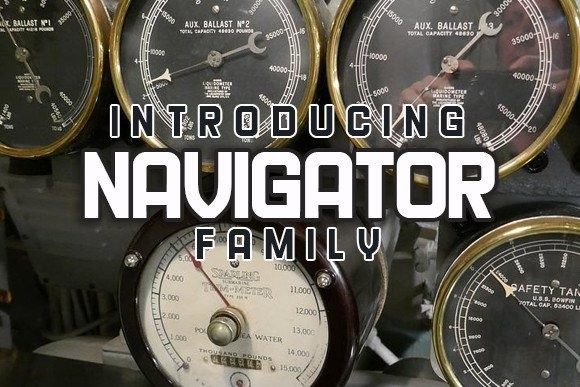
Navigator is more than just a font—it's a visual statement. With its clean lines, modern structure, and confident presence, it’s designed to stand out on any design project. Whether you're working on a poster, flyer, or print material, Navigator brings a sense of clarity and style that can elevate your work from good to great.
What makes Navigator unique is its balance between readability and visual impact. It’s not overly ornate, but it has enough character to make a strong impression. This makes it ideal for projects where you want to communicate a message clearly while still capturing attention.
Why Choose Navigator for Your Designs?
Designers often look for fonts that are both functional and expressive. Navigator fits this need perfectly. Its open letterforms and consistent weight make it easy to read at different sizes, which is essential when designing for print or digital media. At the same time, its distinctive shape adds personality to any layout.
One of the key benefits of using Navigator is its versatility. It works well in a variety of contexts, from professional branding to creative marketing materials. Because it’s a display font, it’s best used in headlines, titles, or other prominent text elements rather than body copy. But even in those roles, it delivers a polished and modern look.
Creative Applications for Navigator
Think about how you might use Navigator in your next project. For example, if you’re creating a poster for an event, using Navigator as the main title can immediately draw attention. Pair it with a simpler sans-serif font for body text to create a balanced and professional design.
For flyers or brochures, Navigator can be used to highlight key information such as dates, locations, or special offers. Its bold appearance ensures that important details are easy to spot, even from a distance. This makes it especially useful for outdoor advertising or informational displays.
When working on print materials like business cards or signage, Navigator adds a touch of sophistication. It’s a great choice for businesses that want to convey professionalism without being too traditional. The font’s modern aesthetic aligns well with contemporary design trends, making it a smart choice for startups, tech companies, or creative agencies.
Adapting Navigator for Different Audiences and Formats
The way you use Navigator will depend on your audience and the medium you're working with. If you're targeting a younger demographic, you might experiment with bolder color combinations or dynamic layouts. For a more formal audience, keeping the design minimal and elegant with neutral tones could be more effective.
On digital platforms, Navigator can be used in website headers, social media graphics, or email newsletters. Its clean design ensures it looks sharp on screens of all sizes. When using it online, consider the contrast between the font and background to maintain readability.
For print projects, pay attention to how the font appears when printed. High-quality paper and proper ink settings can enhance the visual appeal of Navigator. If you're printing large-format materials like banners or posters, make sure the font is scaled appropriately to avoid distortion or loss of detail.
Practical Tips for Using Navigator
To get the most out of Navigator, start by understanding its strengths. Use it in areas where visual impact is important, such as headlines or call-to-action elements. Avoid overusing it in long blocks of text, as it may become difficult to read.
Experiment with different weights and styles if available. Some fonts come in multiple variations, such as regular, bold, or italic. These can add depth and variety to your designs. For instance, using a bold version of Navigator for a headline and a lighter version for subheadings can create a clear visual hierarchy.
Consider pairing Navigator with complementary fonts. A simple serif or sans-serif font can provide contrast and balance. This helps prevent the design from feeling too busy or overwhelming. Testing different combinations can help you find the right look for your project.
Real-World Examples and Inspiration
Imagine using Navigator for a music festival poster. The font’s strong presence would make the event name stand out, while a clean layout with ample white space keeps the design from feeling cluttered. Adding a few graphic elements or icons can further enhance the visual appeal.
For a small business owner looking to update their brand, Navigator could be used in a logo or tagline. It provides a modern and professional look that reflects the company’s values. Pairing it with a minimalist icon or a subtle background pattern can create a cohesive and memorable brand identity.
Freelancers and creatives might use Navigator in their portfolios or personal websites. A bold heading with the font can make their work stand out, while a simple layout ensures the focus remains on the content. This approach is especially effective for showcasing visual work like illustrations, photography, or design samples.
Conclusion: Make Navigator Work for You
Navigator is a powerful tool for anyone looking to create visually compelling designs. Its combination of readability, style, and versatility makes it a valuable addition to any designer’s toolkit. Whether you're working on print, digital, or mixed-media projects, Navigator can help you communicate your message with confidence and clarity.
By understanding how to use the font effectively, you can unlock its full potential and bring your creative ideas to life. Experiment, test, and refine your approach to find the best way to incorporate Navigator into your work. With the right application, it can transform your designs and make them more engaging for your audience.